Package tracking feels almost magical, type a number, watch your parcel cross the country, but underneath it's a straightforward system of barcodes, scanners, and databases. Knowing how it actually works explains a lot: why updates come in bursts, why a package can seem to skip cities, and why one carrier's number sometimes shows another carrier's scans. Here's the whole pipeline, from label to your screen.
It starts with the barcode
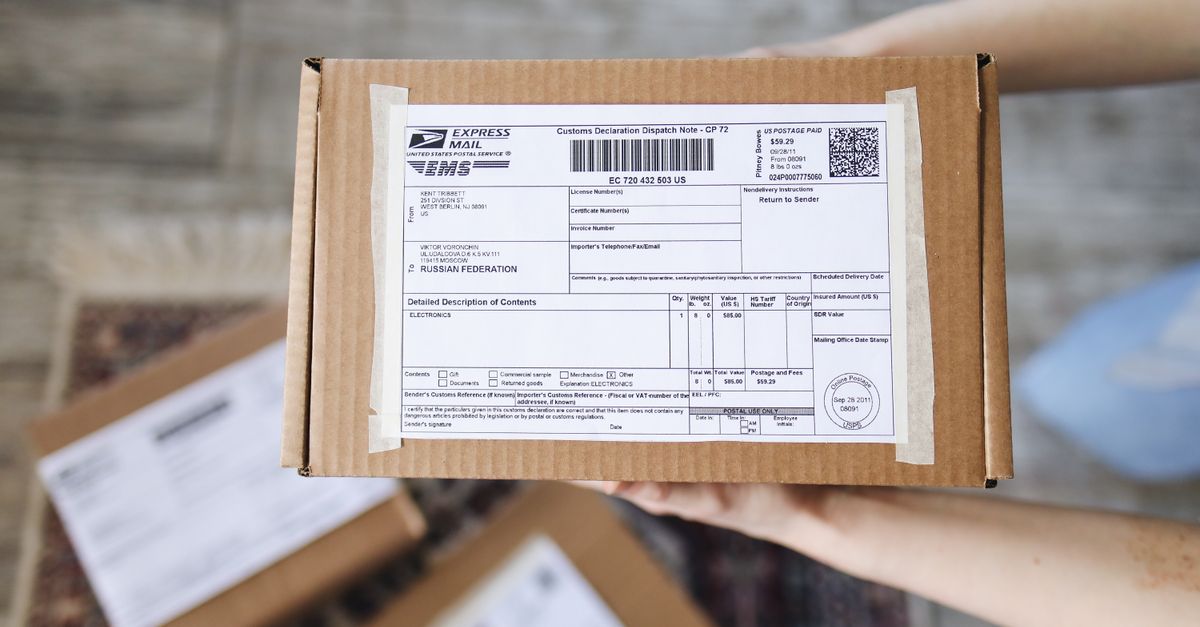
Everything begins when a shipping label is created. That label carries a unique tracking number encoded in one or more barcodes. The number isn't random, it embeds information the carrier's systems read instantly:
- The carrier and service level (which is why a UPS number starts with 1Z and a USPS domestic barcode, the Intelligent Mail package barcode, runs 20–22 digits).
- The shipper's account or mailer ID.
- A serial number unique to that package, plus a check digit that lets a scanner instantly verify it read the number correctly.
Our guide on how to read a tracking number decodes these formats piece by piece. The key idea: the number is a database key. It's the handle everything else attaches to.
Scans create the events
Once the package enters the network, it gets scanned at checkpoints. Each scan is an event, a row in a database, that records the tracking number, a status code, a location, and a timestamp. The typical checkpoints are:
- Acceptance — the carrier takes possession (the first "we have it" scan).
- Origin facility — arrival and departure scans at the first sorting hub.
- In transit — scans as it moves through intermediate hubs.
- Destination facility — arrival at the hub nearest you.
- Out for delivery — loaded onto the delivery vehicle.
- Delivered — the final scan, sometimes with a GPS point or photo.
Crucially, there's no tracking data between scans. The package isn't sending its location. This is why tracking can sit still for a day while the parcel drives across three states, a point we dig into in why tracking updates get delayed.
Automated sorting does most of the scanning
Modern sorting facilities are highly automated. Packages ride conveyor systems past tunnel scanners that read barcodes from every angle, and increasingly past camera-based systems that capture the label and dimensions at once. Each read fires off a scan event automatically, no human needed. That's why big carriers can generate millions of scan events a day, and why scans cluster around facility processing times rather than arriving at a steady drip.
The data lands in the carrier's system
Every scan flows into the carrier's central tracking database in near real time. When you look up a number on the carrier's website or app, you're querying that database and seeing the list of events recorded so far. Carriers expose this data three ways:
- Their own website and app, for consumers.
- APIs, programmatic feeds that businesses and services use to pull tracking events automatically.
- EDI (electronic data interchange), an older but still common standard for exchanging shipment data between companies in bulk.
Shippers also send advance data to carriers, the "label created" event you see before the package physically moves comes from the shipper transmitting label info ahead of drop-off. That's why a package can show "shipping label created, awaiting item" for a while before the first real scan.
Handoffs: why one number shows two carriers
Here's one of the most confusing parts, and it's entirely by design. On economy services, one carrier does the long haul and another does the last mile. FedEx Ground Economy, UPS Mail Innovations, and DHL eCommerce all hand off to USPS for final delivery. When that happens, the package's scan history spans two separate carrier databases. The first carrier's system records the early scans, then USPS records the final ones under the same package. Neither carrier's website shows the full picture on its own, which is a big reason people think tracking "died" mid-journey. Our courier directory maps out which carriers hand off and to whom.
Where aggregators come in
An aggregator like PackageTrackNow sits on top of all this. Instead of you guessing the carrier and logging into the right site, the aggregator:
- Detects the carrier from the number's format automatically.
- Queries the relevant carriers' data for that number, including the last-mile carrier in a handoff.
- Merges the events into one chronological timeline, deduplicating and normalizing the different status codes each carrier uses.
So a package that traveled on FedEx and finished on USPS appears as a single continuous story, rather than two half-stories on two websites. You can still visit the carrier-specific hubs, USPS, UPS, FedEx, DHL, when you want the source's own view.
Why statuses differ between carriers
Each carrier writes its own status vocabulary. One says "Departed shipping partner facility," another says "In transit to next facility," a third says "Processed through regional hub." They often describe the same physical event. Aggregators translate these into consistent language, which is why the wording on an aggregated timeline may not match any single carrier word-for-word, it's normalized so you can actually compare stages.
The takeaway
Package tracking is a barcode plus a trail of checkpoint scans landing in carrier databases, not a live GPS feed. That design explains the quiet gaps between scans, the "label created" head start, and the two-carrier handoffs that split a journey across systems. An aggregator's job is to detect the carrier, gather every leg, and stitch the scans into one timeline, so the machinery behind the scenes just looks like a simple, honest answer to "where's my package?"